






















Price: ₹8,999 - ₹3,699.00
(as of Nov 11, 2026 10:28:48 UTC – Details)
Product Description

Welcome to WISTAR

We are a manufacturer specializing in various laptop batteries and tablet batteries. We emphasizes the basic product concept of high-quality, safety and reliability. WISTAR Laptop batteries are 100% DIRECT from Manufacturer with over 10 years’ Laptop Battery Production and Research experience.
We are always working hard to ensure high quality laptop battery standards through multiple quality checks. Every one of our replacement notebook batteries are tested. With multi-protections such as short circuit, overheat, and overload, you can rest assured that you are in good hands. WISTAR promises to deliver each customer to valuable, efficient and reliable battery. Let your notebook get more freedom.

Skills For Installing A New Battery:
Before disassembling your laptop, put the old battery charge below 25%. If a fully charged lithium battery is accidentally punctured, it will have serious consequences.
Please keep every screw you removed.
Make sure that interface is correctly connected to its socket.
New battery: Discharge the new battery to 10% (not 0%), then charge it to 100%. Cycle 3-5 times to activate its maximum capacity before use.Overuse: Do not always run out of a battery to 0%, this would make it damaged or usage life shortened.Charging sequence: When charging, plug in the power, then plug in the power plug; when fully charged, first cut off the power, then pull the power plug.Long-term storage: Charge it to around 50% when you store it long term. (Charge it once a month) Do not store at low power to prevent reduce the lifespan of a battery.Adapter: Use the adapter from a regular manufacturer. If the original adapter cannot be applied due to malfunction or damage, please replace it, so as not to reduce the service life of the battery due to incompatibility.
Why the laptop does not recognize the battery or the laptop does not display the battery?
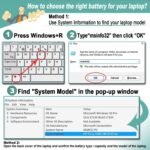
Could be caused by battery loose. Please re-install the battery and make sure that the battery cable and the motherboard interface are tightly inserted.May be due to conductive material damaged which the laptop motherboard and battery anode and cathode contact position, you can try to confirm it with your original battery.Check whether the battery drive is in normal condition, if not, download the corresponding driver software to update.

Grade “A” cells Top Quality Battery
Reliable performance
Extended battery life
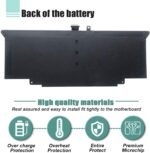
Each battery contains built in multi-protection functions such as short circuit, overheat & overload for maximum safety.
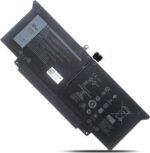
Compatible Part NumberJHT2H 0WY9MP 04V5X2 HRGYV 0HRGYVCompatible ModelReplacement for Dell P34S P34S001 Series;Compatible ModelReplacement for Dell Latitude 7310 Series;Compatible ModelReplacement for Dell Latitude 7410 Series;Compatible ModelReplacement for Dell Latitude 7410 Chromebook Enterprise Series;Compatible ModelReplacement for Dell P33S P33S001 Series.AttentionThe Dell laptop models on this product page are compatible with 3 battery models: 35J09 (39Wh 3-Cell) , JHT2H(52Wh 4-Cell), Y7HR3 (68Wh 6-Cell). Please open the back cover of your laptop to check the original battery size and capacity before placing an order. Please scroll down to the list to purchase.AttentionIf you install the battery, you find that the laptop cannot detect the battery or the battery level cannot be displayed normally. Please check whether the battery cable is installed properly. Sometimes the battery cannot be charged because the cable is not fixed properly.
【Specifications】Battery Model :JHT2H, Voltage: 7.6V; Capacity: 52Wh 6500mAh; Cells: 4-Cell || Color: Black. Type: Li-ion Battery || Up to 1000+ recharge cycles over the life of the battery.
【Compatible Models】For Latitude 7310 7410 Series; Latitude 7410 Chromebook Enterprise Series; For P34S P34S001
【Replacement for Part Number】JHT2H / 04V5X2 / 4V5X2 / 0HRGYV / HRGYV / 0WY9MP / WY9MP / 07CXN6 / 35J09/ 0YJ9RP / 009YYF/ 7CXN6 / XMT81 / T3JWC / XMV7T / Y7HR3 / K36KR / X825P / YY3GJ





Reviews
Clear filtersThere are no reviews yet.