
























Price: ₹8,999 - ₹4,099.00
(as of Nov 03, 2026 07:17:39 UTC – Details)
Product Description

Welcome to WISTAR

We are a manufacturer specializing in various laptop batteries and tablet batteries. We emphasizes the basic product concept of high-quality, safety and reliability. WISTAR Laptop batteries are 100% DIRECT from Manufacturer with over 10 years’ Laptop Battery Production and Research experience.
We are always working hard to ensure high quality laptop battery standards through multiple quality checks. Every one of our replacement notebook batteries are tested. With multi-protections such as short circuit, overheat, and overload, you can rest assured that you are in good hands. WISTAR promises to deliver each customer to valuable, efficient and reliable battery. Let your notebook get more freedom.

Skills For Installing A New Battery:
Before disassembling your laptop, put the old battery charge below 25%. If a fully charged lithium battery is accidentally punctured, it will have serious consequences.
Please keep every screw you removed.
Make sure that interface is correctly connected to its socket.
New battery: Discharge the new battery to 10% (not 0%), then charge it to 100%. Cycle 3-5 times to activate its maximum capacity before use.Overuse: Do not always run out of a battery to 0%, this would make it damaged or usage life shortened.Charging sequence: When charging, plug in the power, then plug in the power plug; when fully charged, first cut off the power, then pull the power plug.Long-term storage: Charge it to around 50% when you store it long term. (Charge it once a month) Do not store at low power to prevent reduce the lifespan of a battery.Adapter: Use the adapter from a regular manufacturer. If the original adapter cannot be applied due to malfunction or damage, please replace it, so as not to reduce the service life of the battery due to incompatibility.
Why the laptop does not recognize the battery or the laptop does not display the battery?
Could be caused by battery loose. Please re-install the battery and make sure that the battery cable and the motherboard interface are tightly inserted.May be due to conductive material damaged which the laptop motherboard and battery anode and cathode contact position, you can try to confirm it with your original battery.Check whether the battery drive is in normal condition, if not, download the corresponding driver software to update.

Grade “A” cells Top Quality Battery
Reliable performance
Extended battery life
Each battery contains built in multi-protection functions such as short circuit, overheat & overload for maximum safety.

Optimized Laptop Battery Installation Guide
Pre-Installation Prep: Turn off your laptop and disconnect the power adapter. Wait 1-2 minutes for residual power to dissipate (avoids short circuits).Replace the Battery: Remove the old battery as per your laptop’s design (e.g., unscrew fasteners or release latches). Align the new battery with the compartment, firmly seat it, and reconnect the power cable (ensure a secure fit—no loose connections).Need Extra Help?: Search for your laptop model + “battery replacement tutorial” on YouTube or the official brand website for step-by-step videos.
Compatible Part Number:
A1820 A1707 020-01728 A1707(EMC 3072) A1707(EMC 3162).
Compatible Laptop Models:
Replacement for MacBook Pro 15″ Model A1707 (Late 2016) Touch Bar:
MLW72 MLW72LL/A, MLW82 MLW82LL/A,
MLH32 MLH32LL/A, MLH42 MLH42LL/A,
MLH52 MLH52xx/A, MLW92 MLW92xx/A,
Replacement for MacBook Pro 15″ Model A1707 (Mid 2017) Touch Bar:
MPTU2 MPTU2LL/A, MPTV2 MPTV2LL/A,
MPTR2 MPTR2LL/A, MPTT2 MPTT2LL/A,
MPTW2 MPTW2xx/A, MPTX2 MPTX2xx/A
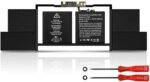
【Specification】Battery type: Li-ion. Color:Black. Volts: 11.4V. Capacity: 76Wh/6667mAh.. 100% New from Manufacturer. Up to 500 recharge cycles over the life of the battery.
【Replace Part Number】A1820 A1707 020-01728 A1707(EMC 3072) A1707(EMC 3162).
【Compatible Models】Mac/Book Pro 15″ A1707 Late 2016 / Mid 2017 MPTW2LL/A Series.(See Description Fit Laptop Models)
【Attention】 The battery disassembly of this MacBook is a bit complicated, especially removing the glued battery from the MacBook Pro. We recommend that you search for related battery replacement videos on the Internet in advance, or seek the help of professional technicians when installing the battery. We will not take any responsibility for any damage caused by improper operation. Hope to understand.





Reviews
Clear filtersThere are no reviews yet.