




BenQ RD320UA 31.5” 4K 3840×2160 Ergo-Arm IPS Black Programming Monitor with Backlight| 90W USB-C|98% P3|Advanced Coding Modes|Nano-Matte Panel|Night Hours Protection|Coding HotKey|Ergonomic Design

Original price was: ₹84,990.00.Current price is: ₹72,500.00.

From the manufacturer

Unparalleled Clarity for Enhanced Coding EfficiencyUnparalleled Clarity for Enhanced Coding Efficiency ErgoArm Programming Monitor RD320UA 32” 4K Programming Monitor with MoonHalo Backlight

Unparalleled Clarity for Enhanced Coding Efficiency

The video showcases the product in use.The video guides you through product setup.The video compares multiple products.The video shows the product being unpacked. World’s First Programming Series Monitor

Night Hour Protection Benefit from minimum brightness technology for reduced eye strain

Benefit from minimum brightness technology for reduced eye strain, and discover enhanced eye protection during night hours and dark room usage with our Night Hours Protection. Its intelligent ambient light detection and auto-switch capabilities require minimal user intervention, ensuring effortless and consistent eye care.

The video showcases the product in use.The video guides you through product setup.The video compares multiple products.The video shows the product being unpacked. Night Hour Protection

Enhanced Focus with Backlight MoonHalo Customize Light Modes and Color Temperatures for Various Scenarios

Experience MoonHalo by BenQ – a seamless blend of immersive illumination and comforting ambiance. With customizable color temperature, brightness, and light modes, along with Auto Dimming powered by B.I. Gen2, MoonHalo ensures optimal eye protection and focus, whether you’re working from home or the office.

The video showcases the product in use.The video guides you through product setup.The video compares multiple products.The video shows the product being unpacked. aplus content video

Superior Code Differentiation Experience the difference with BenQ — because great coding deserves great care.

BenQ’s Advanced Coding Mode is designed specifically for programmers, developers, and software engineers who spend long hours in front of a screen. Recognizing the unique visual needs of coding work, BenQ created a mode that optimizes screen clarity, reduces eye strain, and enhances focus. Colors are calibrated to highlight syntax without over-saturation, helping developers quickly identify structures, commands, and errors in their code.

The video showcases the product in use.The video guides you through product setup.The video compares multiple products.The video shows the product being unpacked. Advanced Coding Mode

Ensures Code Clarity in All Lighting Conditions Eliminate distractions from reflections and glare to maintain your maximum flow.

In coding, every line and character matters — and so does a clear, distraction-free view. BenQ’s Nano Matte Panel, featured in their latest coding monitors, is designed to deliver an ultra-smooth visual experience that keeps your focus where it should be: on your work.Whether you’re working across multiple screens or shifting your position throughout the day, the Nano Matte surface maintains consistent visibility and readability without annoying reflections.

The video showcases the product in use.The video guides you through product setup.The video compares multiple products.The video shows the product being unpacked. Fine Coated Panel

2000:1 contrast and 4K clarity for coding, gaming, and movies—deeper blacks, richer immersion. 2000:1 Contrast for Clear Code & Stunning Visuals

2000:1 contrast and 4K clarity for coding, gaming, and movies—deeper blacks, richer immersion.

Enter the coding flow in seconds with BenQ Nano Matte Panel Enter the Coding Flow in Seconds

Code distraction-free with BenQ Nano Matte Panel—clear, focused, and built for peak performance.

Customizable MoonHalo Backlight Experience Focus Anytime with MoonHalo

MoonHalo’s subtle and pleasant glow allow users to stay focused to accomplish tasks.

Daisy Chain Daisy Chain with the 90W USB Type-C

Multi-Stream Transport allows you to extend screens across multiple displays using the USB Type-C.

Circadian Mode

Circadian Mode

Circadian Mode auto-adjusts screen warmth to match natural light, from sunrise to sunset.

1 2000:1 Contrast Ratio

2 Nano Matte Panel

3 MoonHalo Backlight

4 Daisy Chaining

5 Circadian Mode

Coding themes Code Swiftly with Comfort and Efficiency

BenQ RD320U offers both dark and light themes for adaptable coding environments.

DualView Plus Displays Versatile Color Modes DualView Plus Displays Versatile Color Modes

DualView Plus with PIP/PBP shows two sources at once, each with its own color mode.

Hotkey Coding Quick-access Coding HotKey

Effortlessly boost productivity with our unique Coding HotKey and Function Bar designs.

NHP UA Night Hours Protection

Discover enhanced eye protection during dark room usage with our Night Hours Protection.

Ergo ARM Stand Optimal Posture, Superior Output

BenQ RD320UA prioritizes your comfort with adjustable ErgoArm

1 Dual Coding Modes

2 DualView Plus

3 Quick-access

4 Night Hours Protection

5 Ergo Arm

TUV certified RD Code with Refreshed Eyes

BenQ RD280U has been certified by TÜV Rheinland and Eyesafe 2.0 for Flicker-Free and Low Blue Light.

BI UA Brightness Intelligence Gen2

Emphasizes automatic detection of environmental brightness for automated brightness adjustments

Go Green BenQ’s Green Commitment-A Vision of Sustainability

BenQ cares about environment. RD280UA incorporates recycled materials and energy-efficient design

KVM UA Multi-Device. One Desk

Flexible screen window partitions,& built-in KVM for seamless source switching

Flow Tailored Screen Performance for Your Day Flow Tailored Screen Performance for Your Day

BenQ RD320U’s FloW learns your habits, adapting seamlessly to support your schedule and workflow.

1 Code with Refreshed Eyes

2 Brightness AI Detection

3 Vision of Sustainability

4 Built-in KVM

5 Adapt seamlessly

DP2 Display Pilot 2

Display Pilot customizes with ease-MoonHalo, Shortcuts, Dimming, Circadian Mode & more.

PIP/PBP Desktop Partition

Launch Desktop Partition to snap apps into presets or custom layouts hassle free.

Shortcuts Shortcut your way

Exclusive Shortcuts allows you to easily bind commonly used functions to the hotkeys.

Moonhalo MoonHalo in Control

With Display Pilot 2, MoonHalo syncs to your monitor for easy control of light, color, and modes.

Take Control of Your Display Settings Efficiently

1 Software Interface 2 Desktop Partition 3 Exclusive Shortcuts 4 MoonHalo Control

【Display】31.5 inch 3:2 Aspect Ratio 3840×2160 4K IPS Programming Monitor 2000:1 CR IPS, 98% P3 for vibrant colors, 5 ms. 60Hz, 400 nits,
【 Experience Focus with Unique Backlight 】Experience MoonHalo by BenQ –a unique backlight for immersive comfort and lighting in night hours to light up your workspace.
【 Advanced Coding Modes for Improved Codes Differentiation 】Crafted for programmers, BenQ Programming Monitor offers you full immersion in your code with darker blacks and higher contrast.
【Daisy Chain with the 90W USB Type-C】The 90W USB Type-C carries images, videos, and other data seamlessly plus charges your mobile devices at the same time all with one cable. 2 HDMI (v2.0), 1 DP (v1.4), USB Type-A, USB Type-C.
【Quick-access Coding HotKey】 Effortlessly boost productivity with a swift press of the Coding HotKey at the heart of the function bar.
【Ergonomic Design for Ideal Posture】Tilt (down/up) -5˚ – 20, Swivel (left/right) 15˚/ 15˚, Pivot 90˚, Height Adjustment Stand 130 mm.
【Night Hours Protection】Discover enhanced eye protection in dark with our Night Hours Protection. Its intelligent ambient light detection and auto-switch capabilities require minimal user intervention, ensuring effortless and consistent eye care.
【Built-in Speaker】- 3Wx2 Built-in Speaker with Headphone Jack
【In The Box】1.8m Power Cable, HDMI 2.0 Cable, USB-C Cable , Warranty Card, QSG, Safety Regulation
【Warranty】3 Years Manufacturer Warranty

Specification

Overview

Processor

Display

RAM

Storage

Video Card

Connectivity

Features

Battery

General

Description


Price: ₹84,990 - ₹72,500.00
(as of Nov 25, 2026 14:55:51 UTC – Details)

From the manufacturer
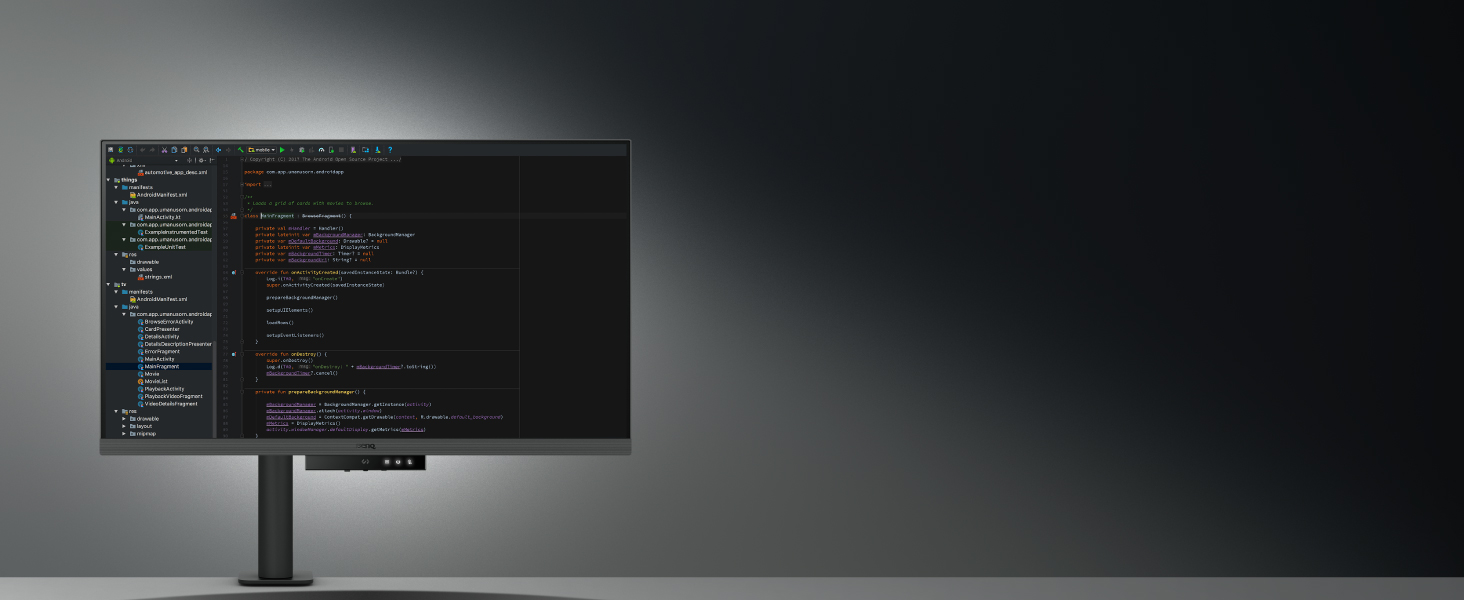
Unparalleled Clarity for Enhanced Coding EfficiencyUnparalleled Clarity for Enhanced Coding Efficiency ErgoArm Programming Monitor RD320UA 32” 4K Programming Monitor with MoonHalo Backlight

Unparalleled Clarity for Enhanced Coding Efficiency

The video showcases the product in use.The video guides you through product setup.The video compares multiple products.The video shows the product being unpacked. World’s First Programming Series Monitor

Night Hour Protection Benefit from minimum brightness technology for reduced eye strain

Benefit from minimum brightness technology for reduced eye strain, and discover enhanced eye protection during night hours and dark room usage with our Night Hours Protection. Its intelligent ambient light detection and auto-switch capabilities require minimal user intervention, ensuring effortless and consistent eye care.

The video showcases the product in use.The video guides you through product setup.The video compares multiple products.The video shows the product being unpacked. Night Hour Protection

Enhanced Focus with Backlight MoonHalo Customize Light Modes and Color Temperatures for Various Scenarios

Experience MoonHalo by BenQ – a seamless blend of immersive illumination and comforting ambiance. With customizable color temperature, brightness, and light modes, along with Auto Dimming powered by B.I. Gen2, MoonHalo ensures optimal eye protection and focus, whether you’re working from home or the office.

The video showcases the product in use.The video guides you through product setup.The video compares multiple products.The video shows the product being unpacked. aplus content video

Superior Code Differentiation Experience the difference with BenQ — because great coding deserves great care.

BenQ’s Advanced Coding Mode is designed specifically for programmers, developers, and software engineers who spend long hours in front of a screen. Recognizing the unique visual needs of coding work, BenQ created a mode that optimizes screen clarity, reduces eye strain, and enhances focus. Colors are calibrated to highlight syntax without over-saturation, helping developers quickly identify structures, commands, and errors in their code.

The video showcases the product in use.The video guides you through product setup.The video compares multiple products.The video shows the product being unpacked. Advanced Coding Mode

Ensures Code Clarity in All Lighting Conditions Eliminate distractions from reflections and glare to maintain your maximum flow.

In coding, every line and character matters — and so does a clear, distraction-free view. BenQ’s Nano Matte Panel, featured in their latest coding monitors, is designed to deliver an ultra-smooth visual experience that keeps your focus where it should be: on your work.Whether you’re working across multiple screens or shifting your position throughout the day, the Nano Matte surface maintains consistent visibility and readability without annoying reflections.

The video showcases the product in use.The video guides you through product setup.The video compares multiple products.The video shows the product being unpacked. Fine Coated Panel
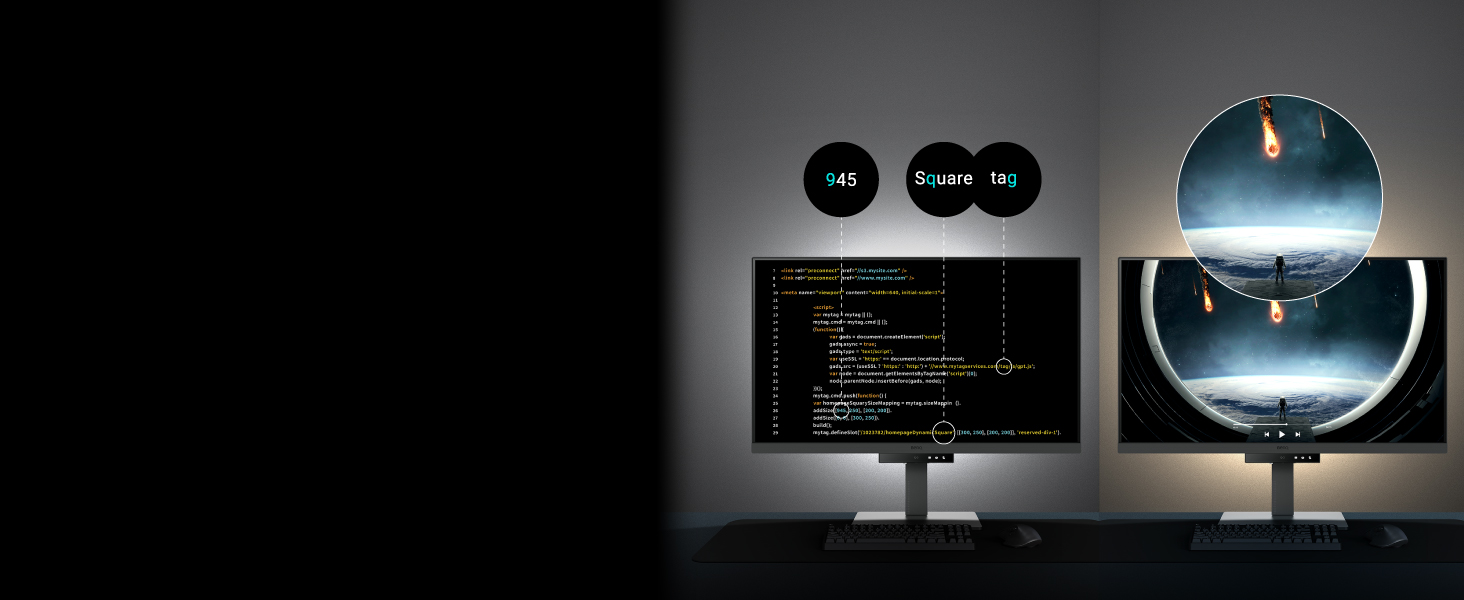
2000:1 contrast and 4K clarity for coding, gaming, and movies—deeper blacks, richer immersion. 2000:1 Contrast for Clear Code & Stunning Visuals

2000:1 contrast and 4K clarity for coding, gaming, and movies—deeper blacks, richer immersion.
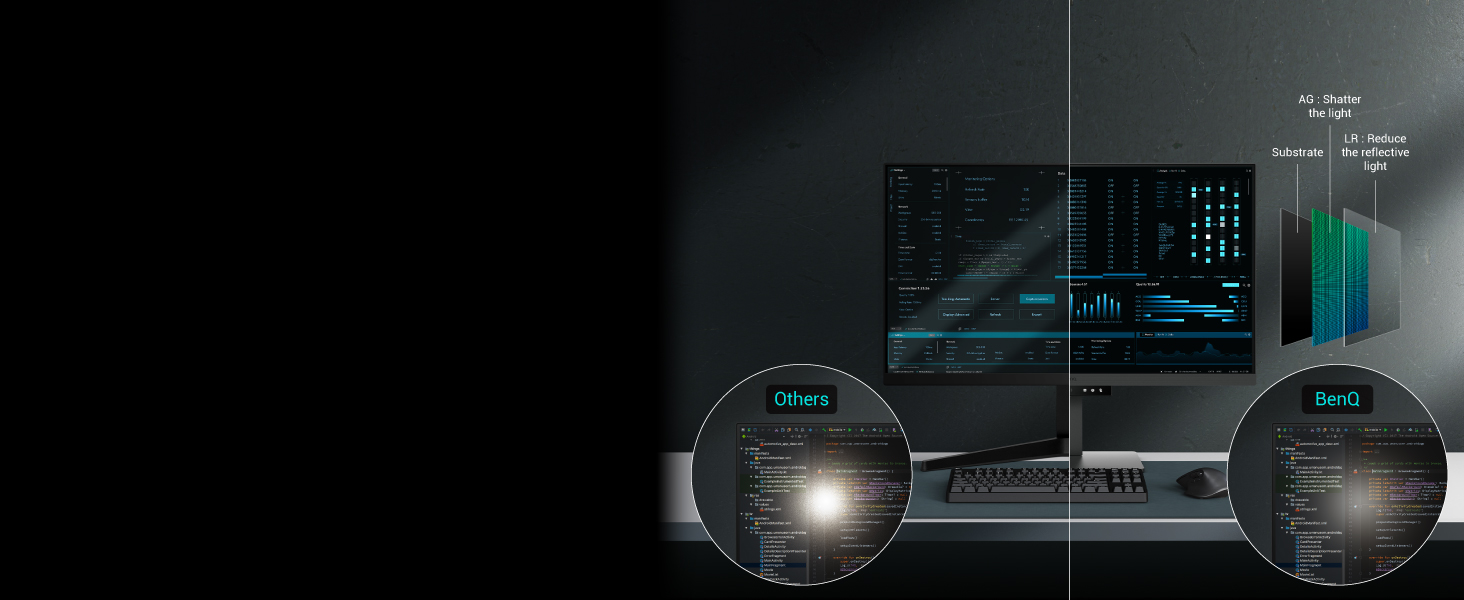
Enter the coding flow in seconds with BenQ Nano Matte Panel Enter the Coding Flow in Seconds

Code distraction-free with BenQ Nano Matte Panel—clear, focused, and built for peak performance.
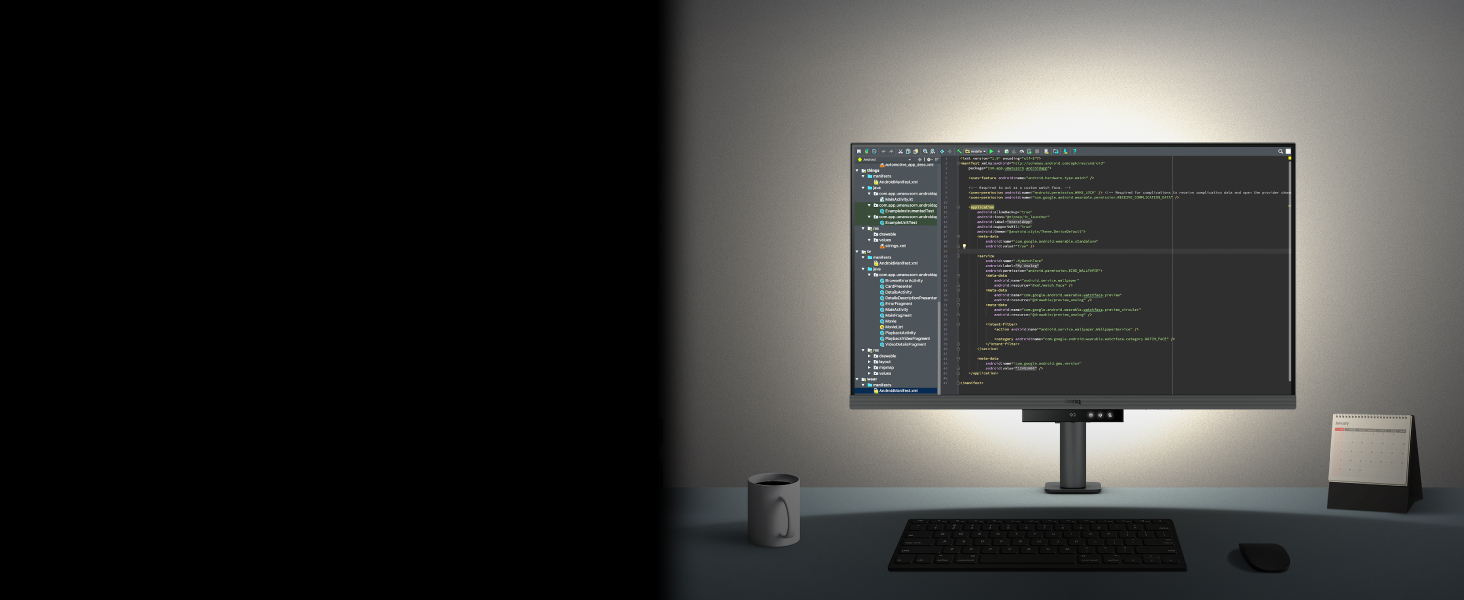
Customizable MoonHalo Backlight Experience Focus Anytime with MoonHalo

MoonHalo’s subtle and pleasant glow allow users to stay focused to accomplish tasks.
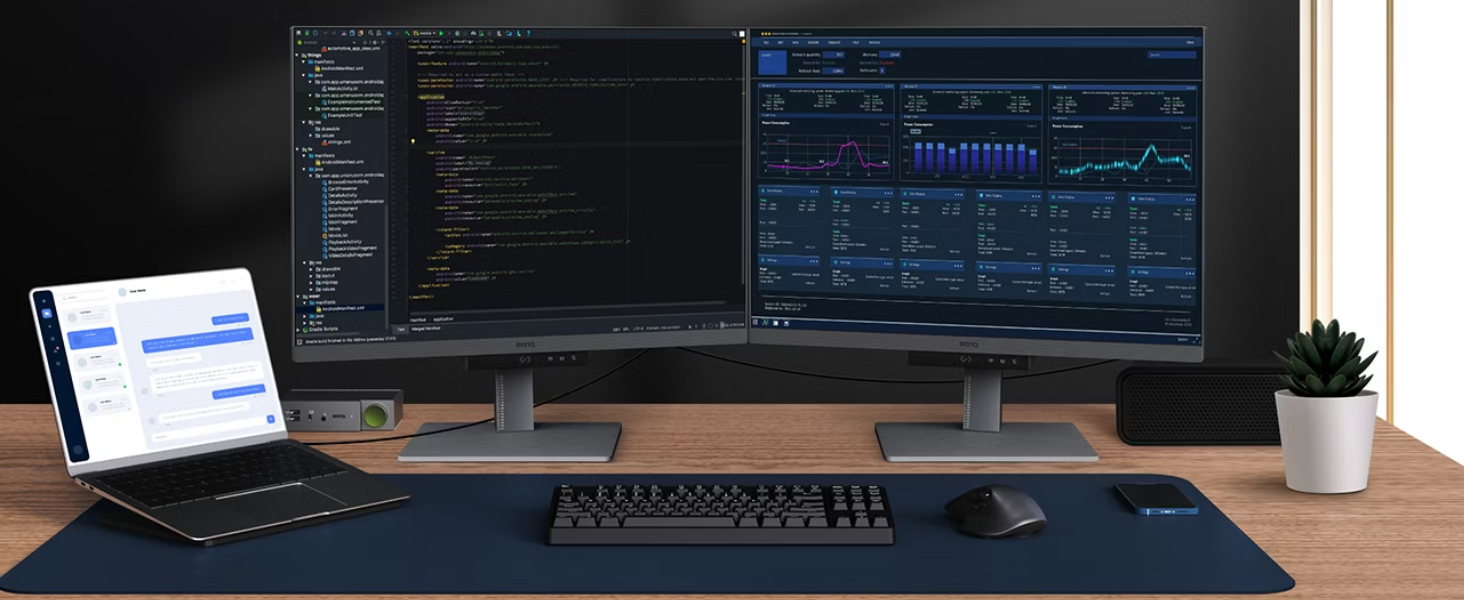
Daisy Chain Daisy Chain with the 90W USB Type-C

Multi-Stream Transport allows you to extend screens across multiple displays using the USB Type-C.
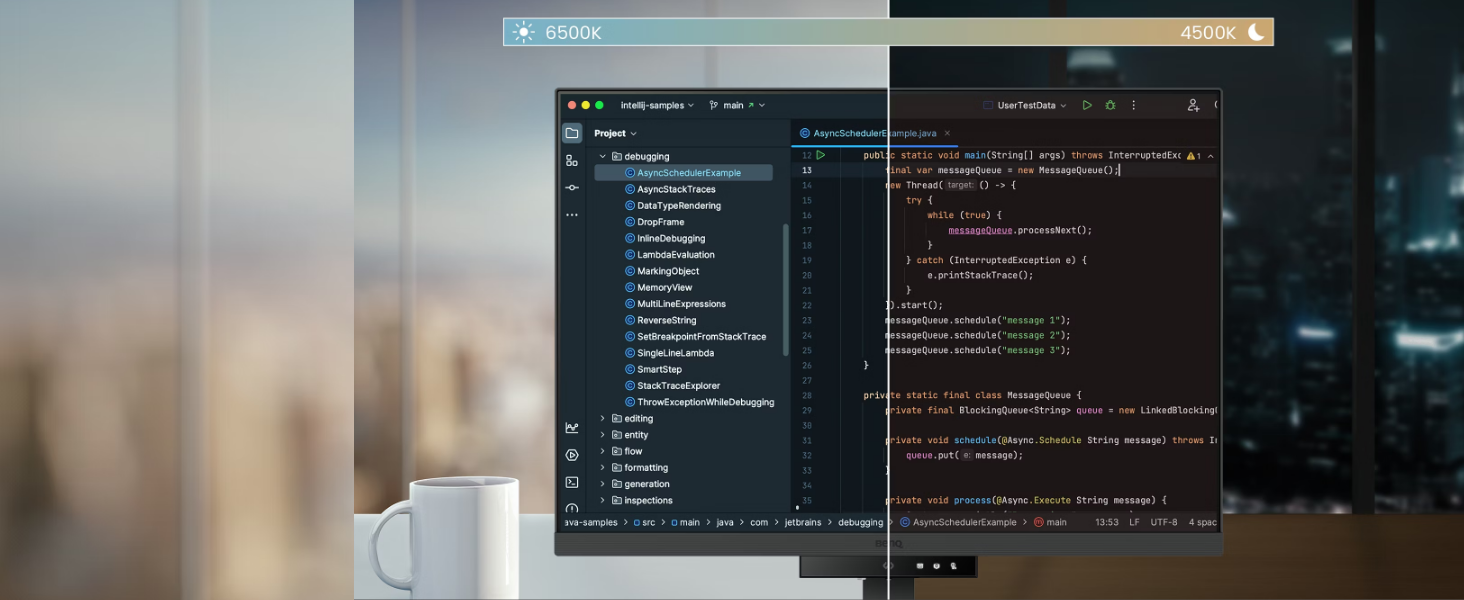
Circadian Mode

Circadian Mode

Circadian Mode auto-adjusts screen warmth to match natural light, from sunrise to sunset.

1 2000:1 Contrast Ratio

2 Nano Matte Panel

3 MoonHalo Backlight

4 Daisy Chaining

5 Circadian Mode
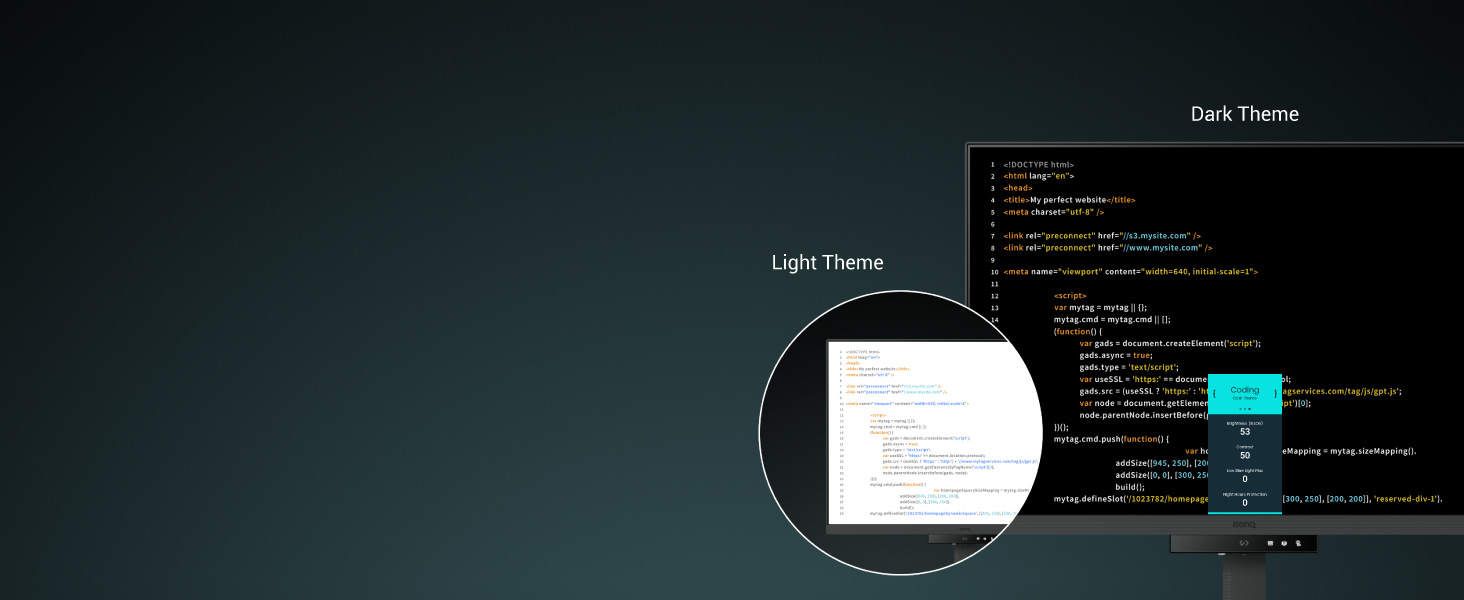
Coding themes Code Swiftly with Comfort and Efficiency

BenQ RD320U offers both dark and light themes for adaptable coding environments.
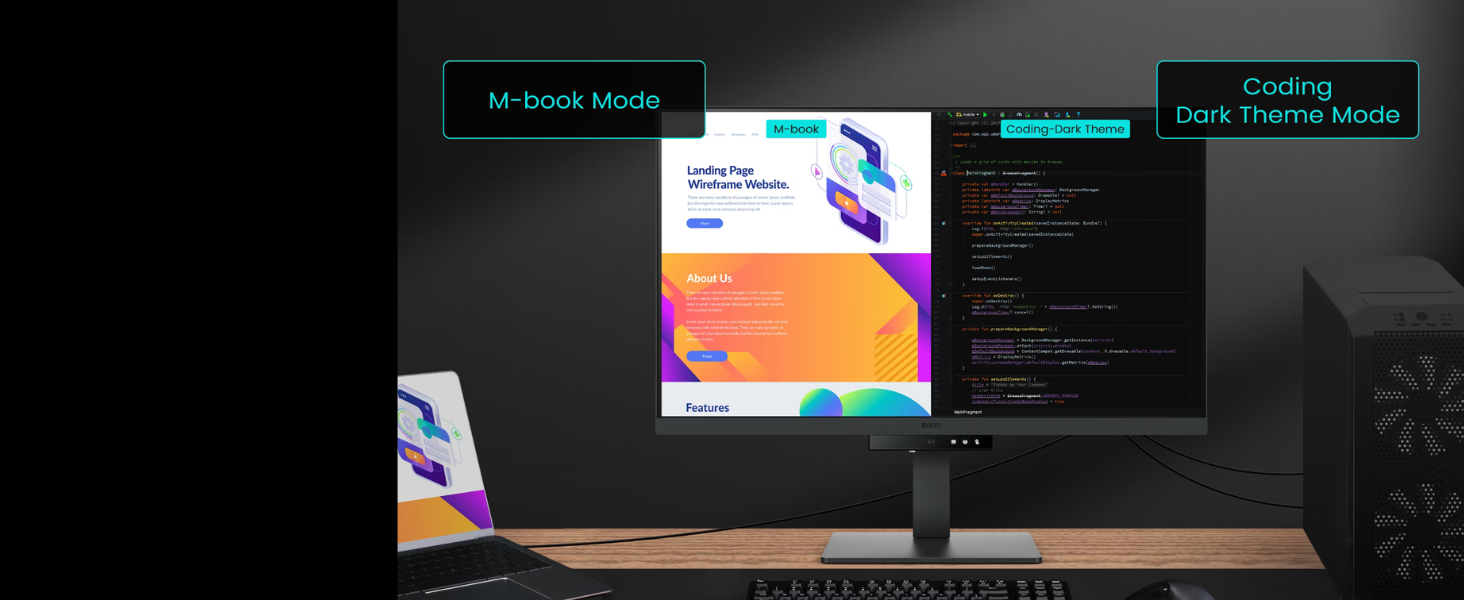
DualView Plus Displays Versatile Color Modes DualView Plus Displays Versatile Color Modes

DualView Plus with PIP/PBP shows two sources at once, each with its own color mode.
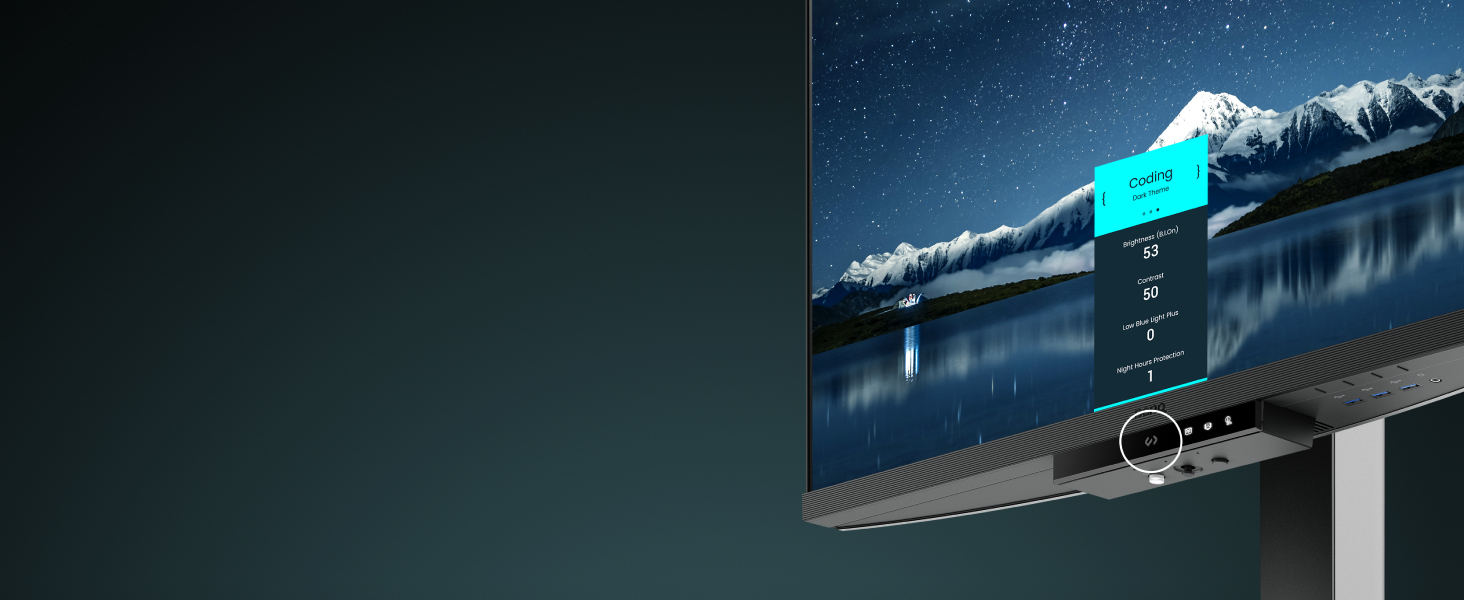
Hotkey Coding Quick-access Coding HotKey

Effortlessly boost productivity with our unique Coding HotKey and Function Bar designs.
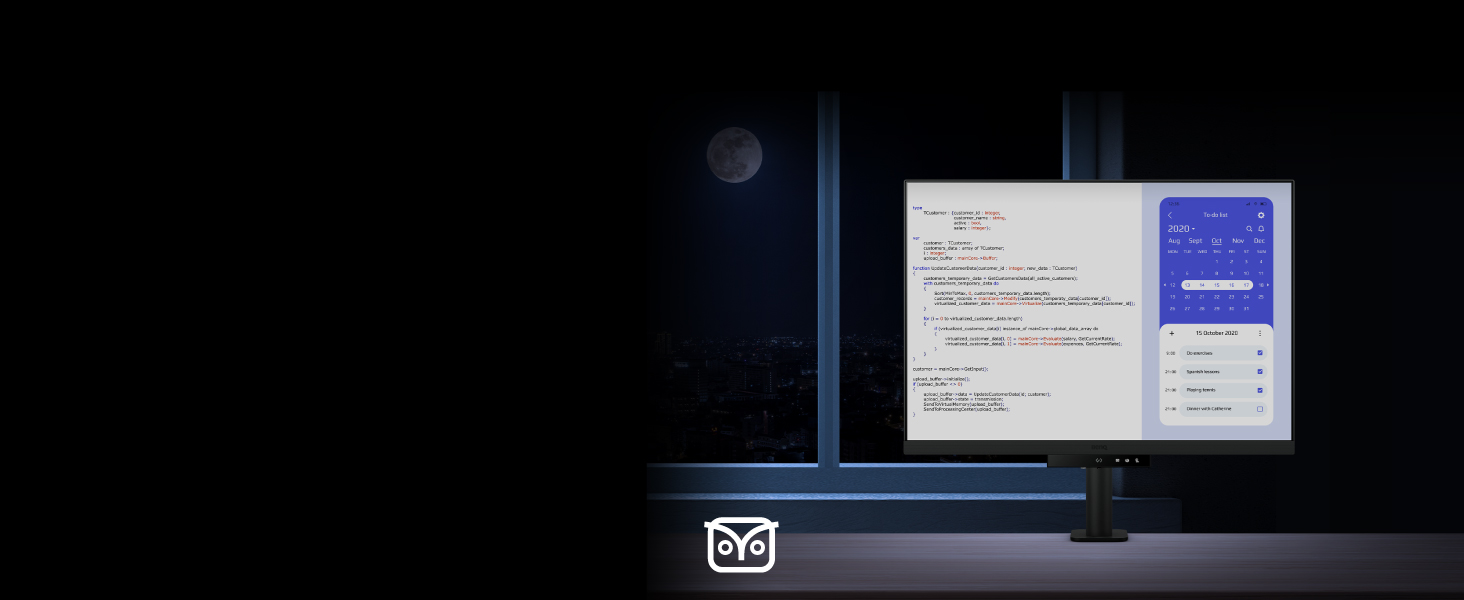
NHP UA Night Hours Protection

Discover enhanced eye protection during dark room usage with our Night Hours Protection.
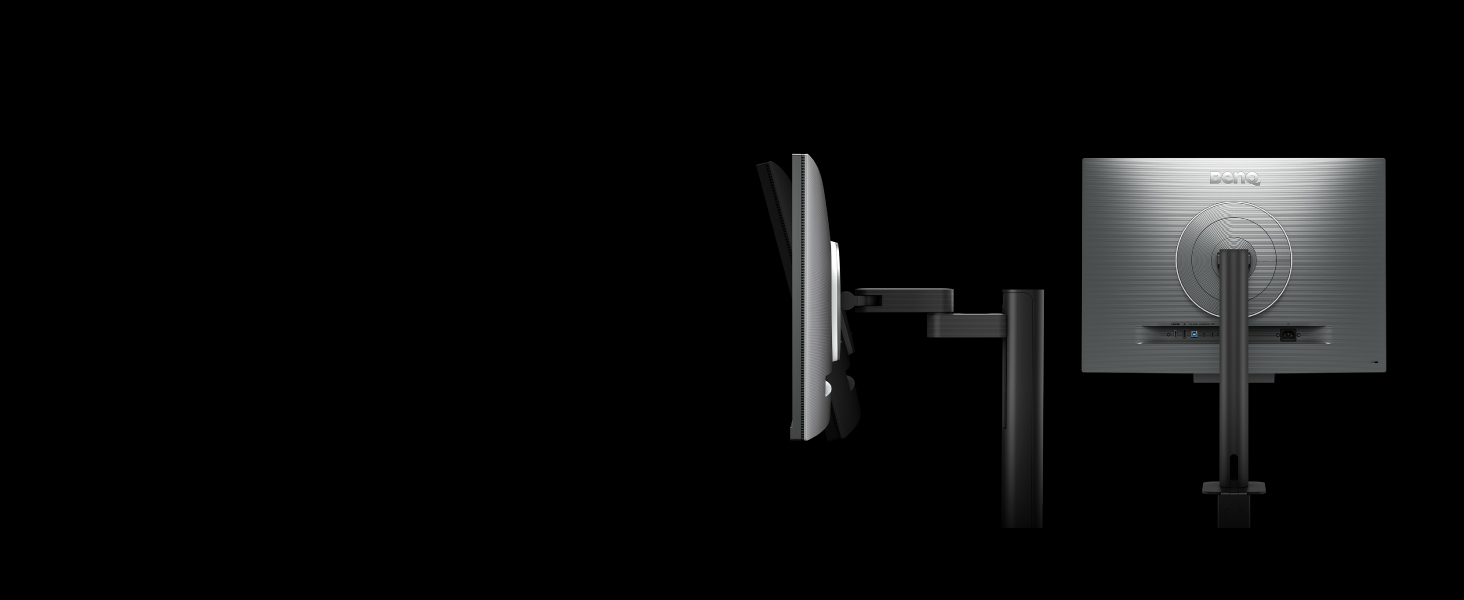
Ergo ARM Stand Optimal Posture, Superior Output

BenQ RD320UA prioritizes your comfort with adjustable ErgoArm

1 Dual Coding Modes

2 DualView Plus

3 Quick-access

4 Night Hours Protection

5 Ergo Arm
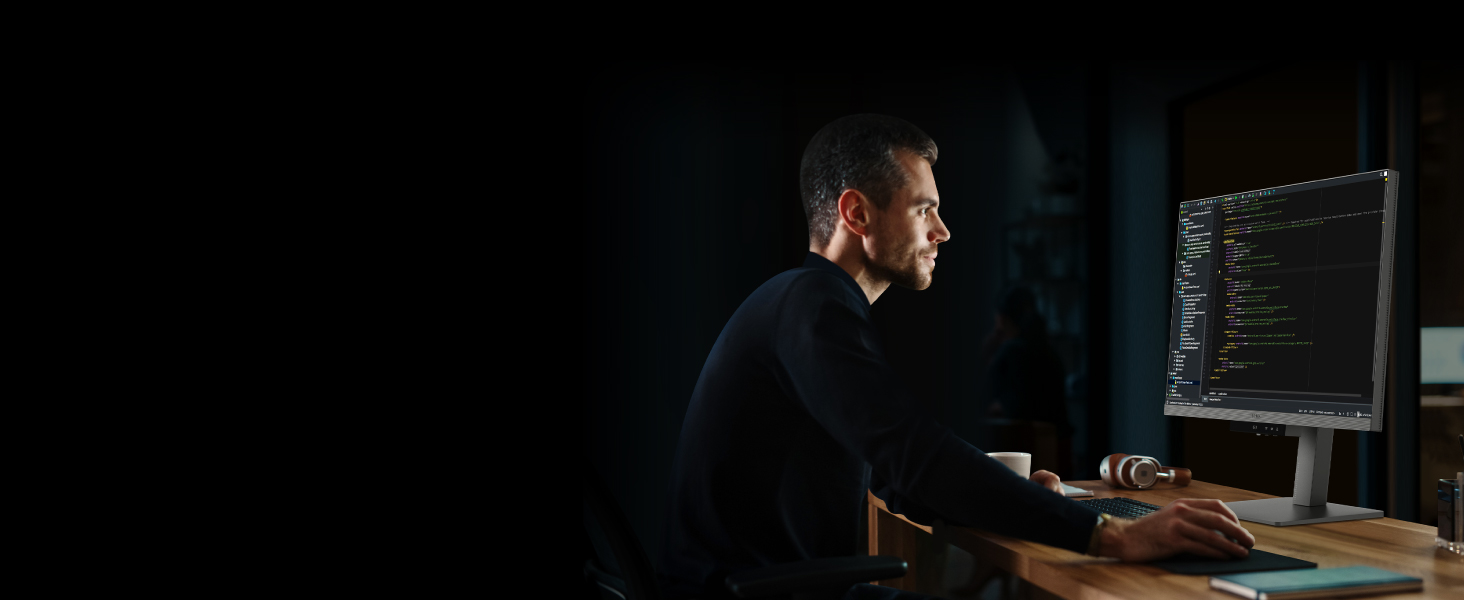
TUV certified RD Code with Refreshed Eyes

BenQ RD280U has been certified by TÜV Rheinland and Eyesafe 2.0 for Flicker-Free and Low Blue Light.
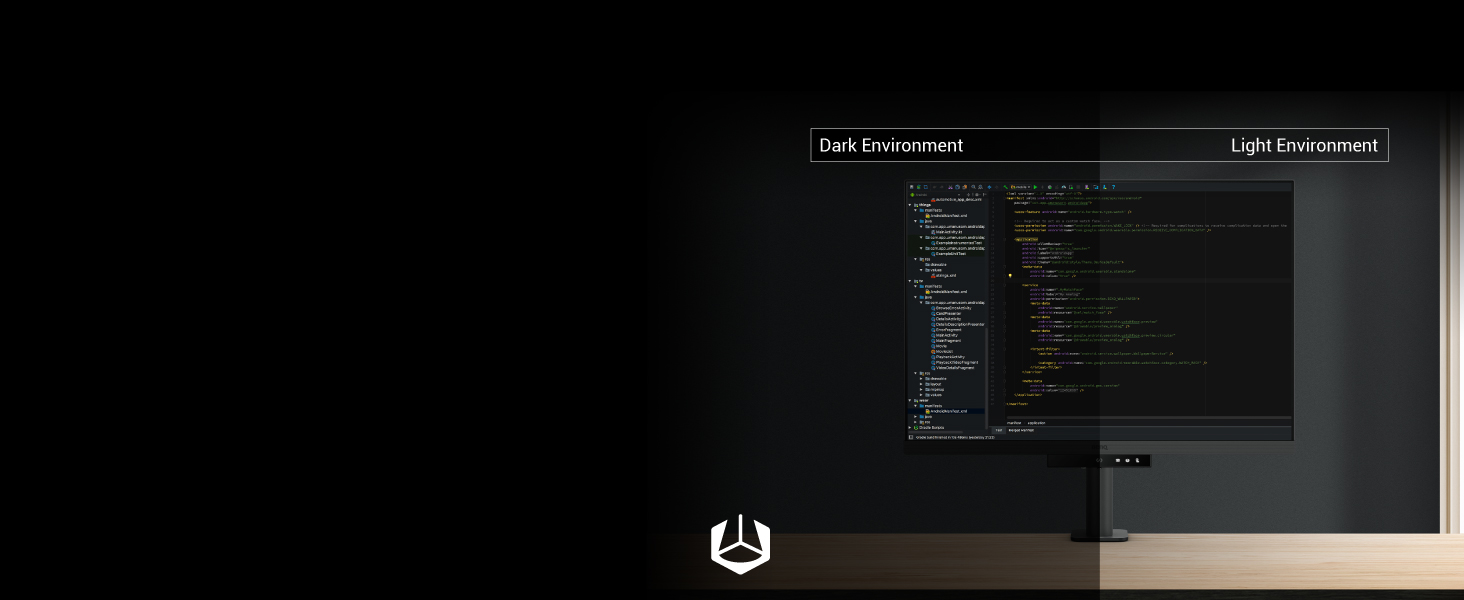
BI UA Brightness Intelligence Gen2

Emphasizes automatic detection of environmental brightness for automated brightness adjustments
Go Green BenQ’s Green Commitment-A Vision of Sustainability

BenQ cares about environment. RD280UA incorporates recycled materials and energy-efficient design
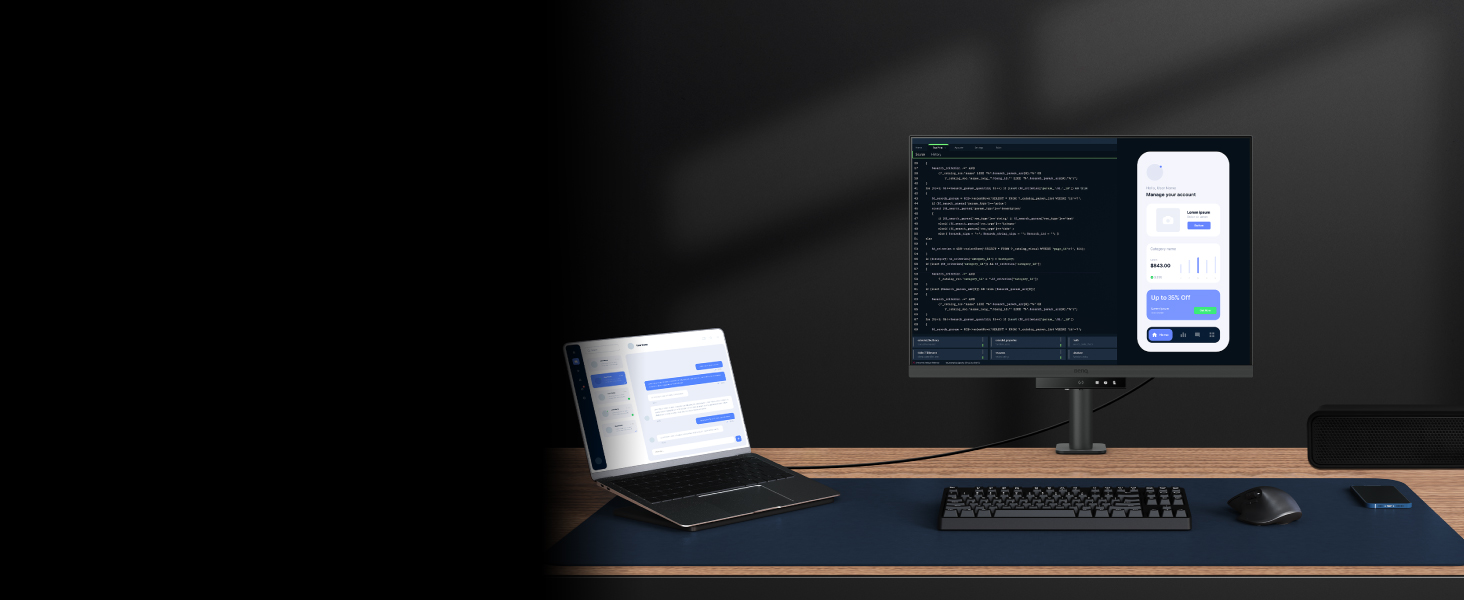
KVM UA Multi-Device. One Desk

Flexible screen window partitions,& built-in KVM for seamless source switching
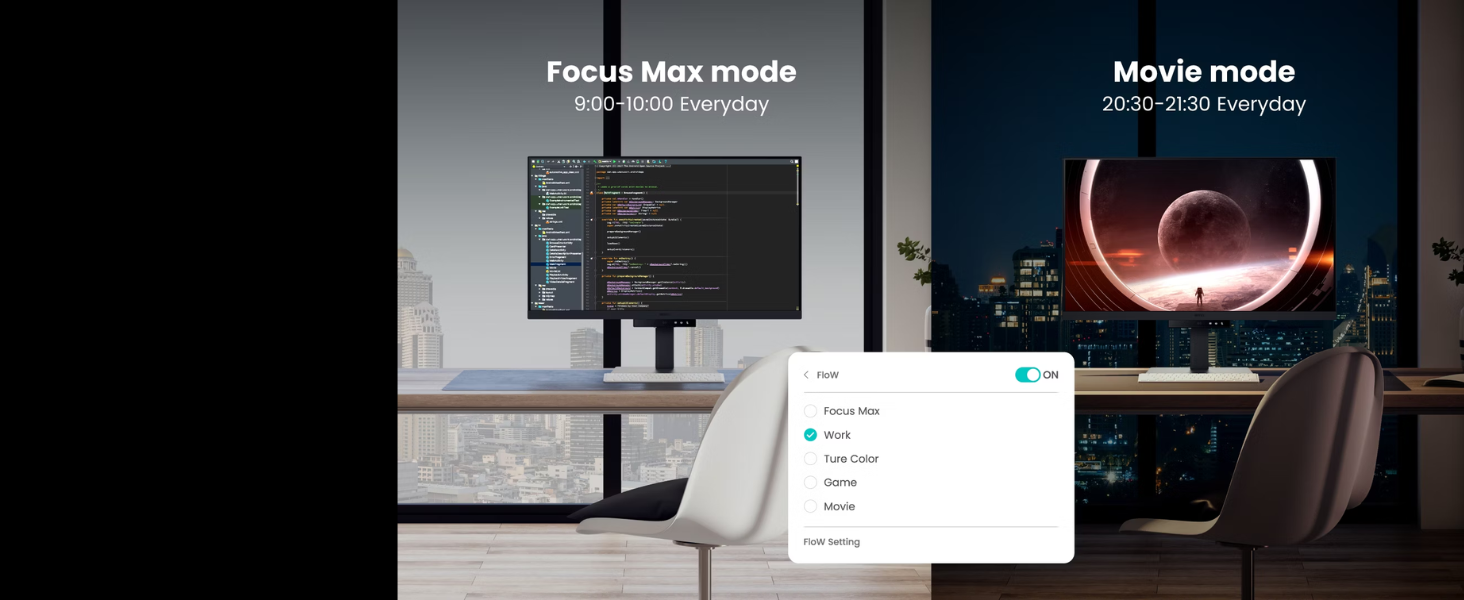
Flow Tailored Screen Performance for Your Day Flow Tailored Screen Performance for Your Day

BenQ RD320U’s FloW learns your habits, adapting seamlessly to support your schedule and workflow.

1 Code with Refreshed Eyes

2 Brightness AI Detection

3 Vision of Sustainability

4 Built-in KVM

5 Adapt seamlessly
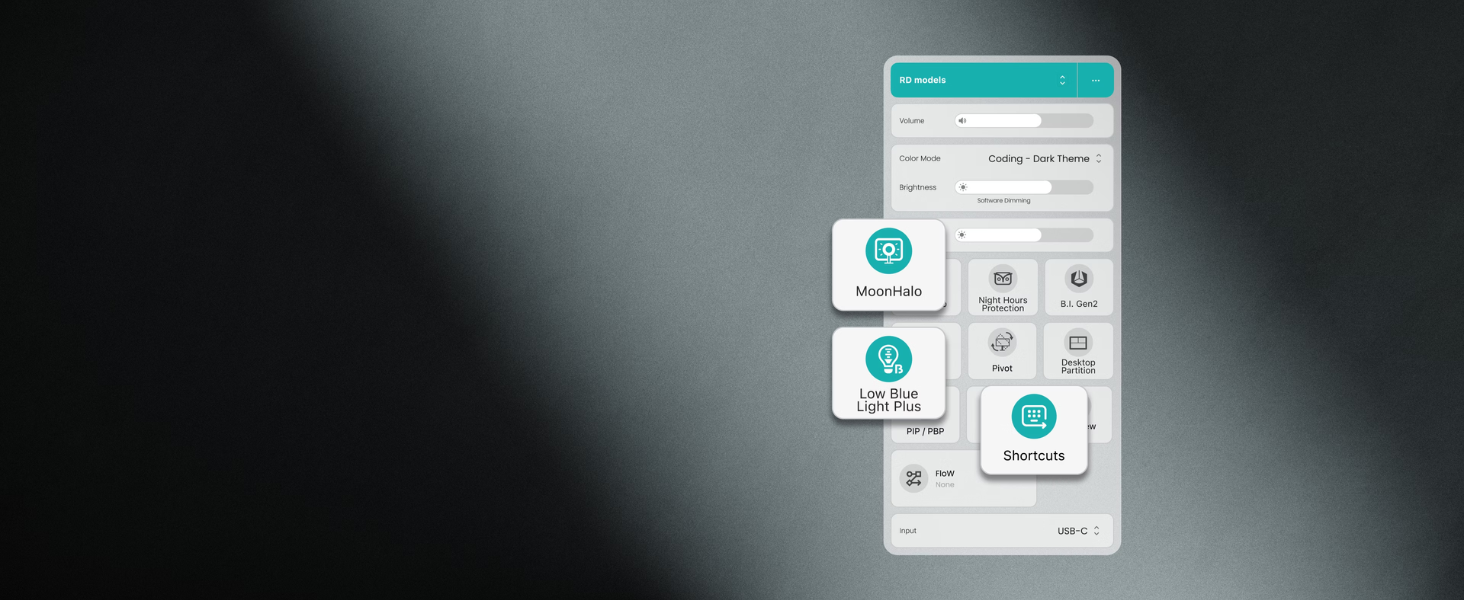
DP2 Display Pilot 2

Display Pilot customizes with ease-MoonHalo, Shortcuts, Dimming, Circadian Mode & more.
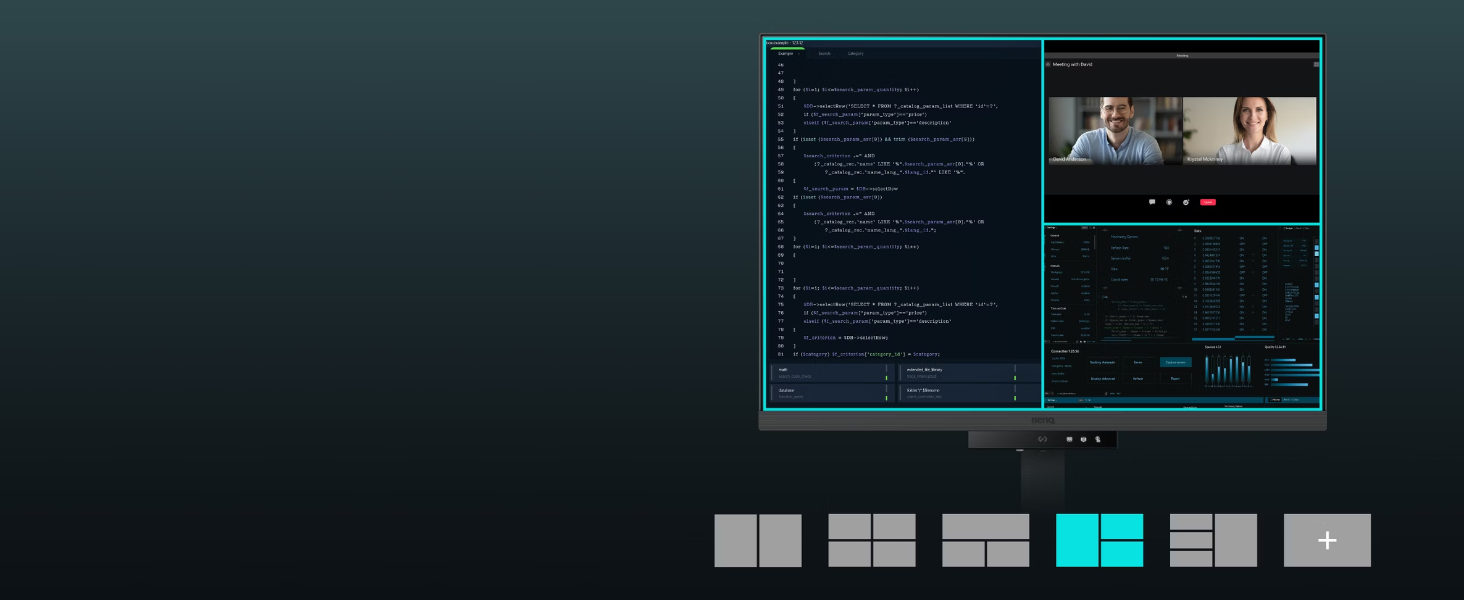
PIP/PBP Desktop Partition

Launch Desktop Partition to snap apps into presets or custom layouts hassle free.
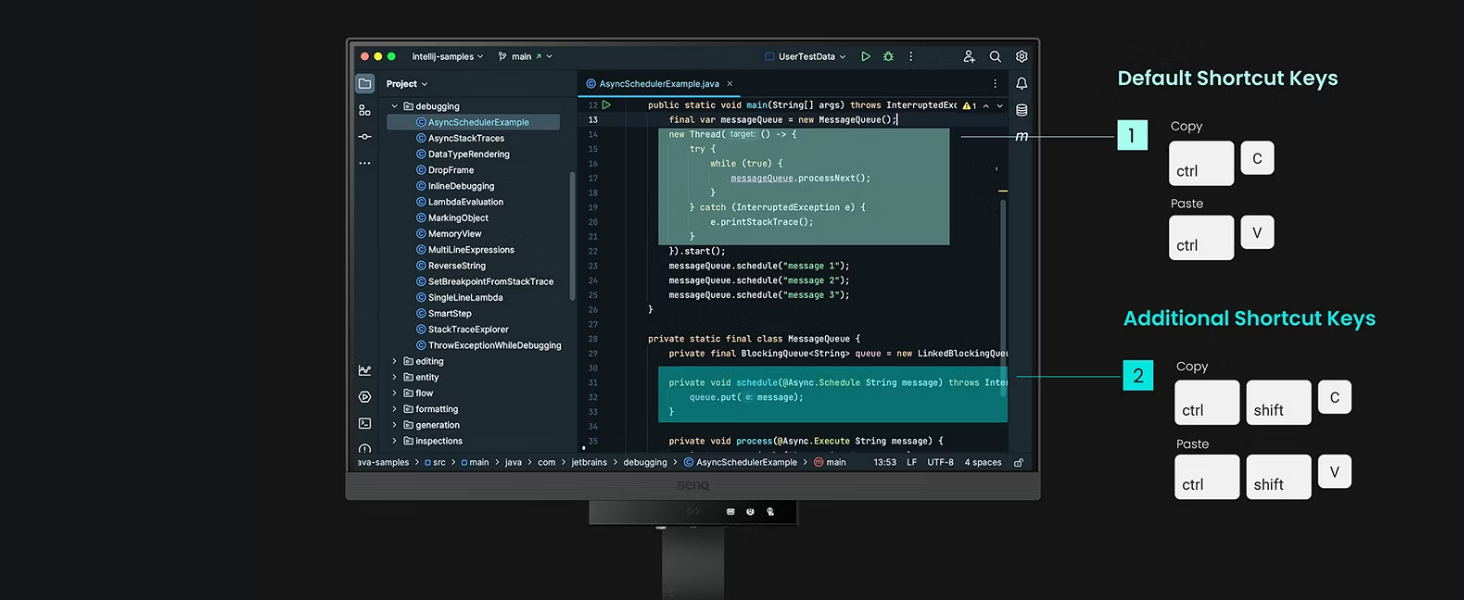
Shortcuts Shortcut your way

Exclusive Shortcuts allows you to easily bind commonly used functions to the hotkeys.
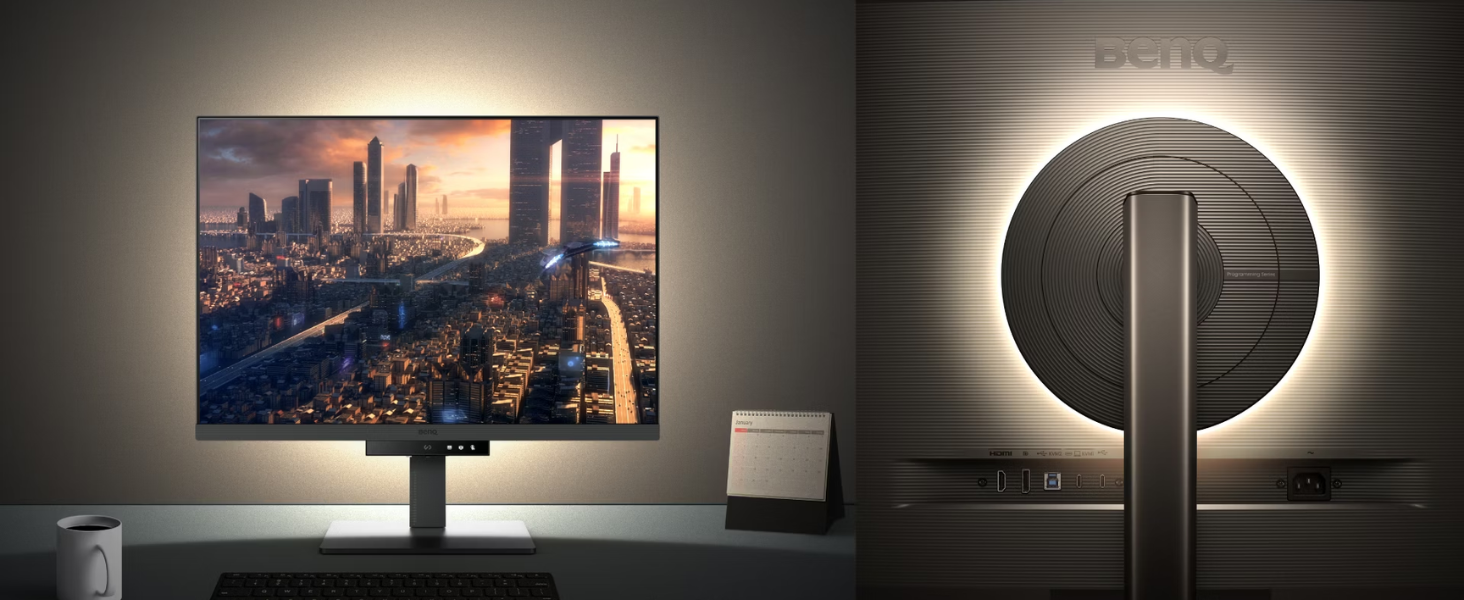
Moonhalo MoonHalo in Control

With Display Pilot 2, MoonHalo syncs to your monitor for easy control of light, color, and modes.

Take Control of Your Display Settings Efficiently

1 Software Interface 2 Desktop Partition 3 Exclusive Shortcuts 4 MoonHalo Control

【Display】31.5 inch 3:2 Aspect Ratio 3840×2160 4K IPS Programming Monitor 2000:1 CR IPS, 98% P3 for vibrant colors, 5 ms. 60Hz, 400 nits,
【 Experience Focus with Unique Backlight 】Experience MoonHalo by BenQ –a unique backlight for immersive comfort and lighting in night hours to light up your workspace.
【 Advanced Coding Modes for Improved Codes Differentiation 】Crafted for programmers, BenQ Programming Monitor offers you full immersion in your code with darker blacks and higher contrast.
【Daisy Chain with the 90W USB Type-C】The 90W USB Type-C carries images, videos, and other data seamlessly plus charges your mobile devices at the same time all with one cable. 2 HDMI (v2.0), 1 DP (v1.4), USB Type-A, USB Type-C.
【Quick-access Coding HotKey】 Effortlessly boost productivity with a swift press of the Coding HotKey at the heart of the function bar.
【Ergonomic Design for Ideal Posture】Tilt (down/up) -5˚ – 20, Swivel (left/right) 15˚/ 15˚, Pivot 90˚, Height Adjustment Stand 130 mm.
【Night Hours Protection】Discover enhanced eye protection in dark with our Night Hours Protection. Its intelligent ambient light detection and auto-switch capabilities require minimal user intervention, ensuring effortless and consistent eye care.
【Built-in Speaker】- 3Wx2 Built-in Speaker with Headphone Jack
【In The Box】1.8m Power Cable, HDMI 2.0 Cable, USB-C Cable , Warranty Card, QSG, Safety Regulation
【Warranty】3 Years Manufacturer Warranty


Customer Reviews

0 reviews
0
0
0
0
0

There are no reviews yet.

Be the first to review “BenQ RD320UA 31.5” 4K 3840×2160 Ergo-Arm IPS Black Programming Monitor with Backlight| 90W USB-C|98% P3|Advanced Coding Modes|Nano-Matte Panel|Night Hours Protection|Coding HotKey|Ergonomic Design”

Your email address will not be published. Required fields are marked *