

















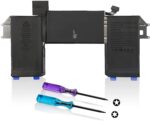
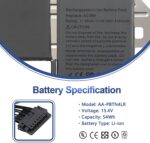
Laptrix A2389 A2337 Battery Replacement for MacBook Air 13 Inch A2337 M1 2020 EMC 3598 MGN53LL/A MGN83LL/A MGN63LL/A MGN93LL/A MGND3LL/A MGN73LL/A MGNA3LL/A MGNE3LL/A 11.39V 49.9Wh 4380mAh

Original price was: ₹8,999.00.Current price is: ₹3,789.00.

Product Description

LAPTOP BATTERYLAPTOP BATTERY

Product Description

Installing New Battery Frequently Asked Question Solution:Installing New Battery Frequently Asked Question Solution:

Installing New Battery Frequently Asked Question Solution:

Q: Why my computer didn’t recognize this battery or I install this battery and it doesn’t seem to work?

A: The reason is residual power stored in the laptop components that was preventing the battery from working properly. Please disconnecting the old battery, and holding down the power button for 20 seconds, then connect the new battery. This drains the residual or flea power and once the laptop is reassembled the battery will function properly.

Install A New BatterYInstall A New BatterY

Install A New Battery:

1, You need to turn off your laptop and disconnect the power.

2, Disconnect the connection between the old battery and the motherboard to avoid unnecessary damage caused by disassembling the battery. Then unscrew the old battery screws one by one and carefully save each screw.

3, Remove the old battery, carefully install the new battery on the battery case, screw in the screw, and connect the wiring of the new battery.

LAPTOP BATTEYRLAPTOP BATTEYR

The following are troubleshooting methods:

1.Turn off the laptop.

2.Unplug AC power.

3.Remove the battery.

4.Replace AC power.

5.Turn on laptop, allow OS to boot.

6.Once logged in to the machine, perform a normal shut down.

7.Unplug AC power.

8.Replace battery.

Compatible modals

BATTERYBATTERY

Battery comes with Stable Performance and High Backup Time

Battery ensure Fast Charges and Low Power Consumption

Please check before purchasing.

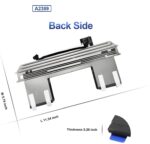
Battery models: A2389; Fully compatible with MacBook Air 13-inch A2337(2020 M1)
【Large Capacity】This battery has a full charge capacity of 55Wh 4800mAh, with 11.4V voltage, providing reliable power for your MacBook
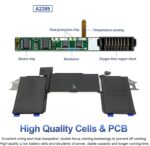
Advanced protection: Incorporates a safety system that provides reliable protection against overload, circuit overload, short circuit, and temperature fluctuations
PREMIUM QUALITY: This battery features the latest technology of high capacity cells and premium components, providing extended run time
Included in the package: Battery, tools required for installation, installation instructions and maintenance manual. If you have any questions, please feel free to contact us at any time
6 Months Replacement Warranty

Specification

Overview

Processor

Display

RAM

Storage

Video Card

Connectivity

Features

Battery

General

Description

Price: ₹8,999 - ₹3,789.00
(as of Sep 20, 2026 14:56:20 UTC – Details)

Product Description

LAPTOP BATTERYLAPTOP BATTERY

Product Description

Installing New Battery Frequently Asked Question Solution:Installing New Battery Frequently Asked Question Solution:

Installing New Battery Frequently Asked Question Solution:

Q: Why my computer didn’t recognize this battery or I install this battery and it doesn’t seem to work?

A: The reason is residual power stored in the laptop components that was preventing the battery from working properly. Please disconnecting the old battery, and holding down the power button for 20 seconds, then connect the new battery. This drains the residual or flea power and once the laptop is reassembled the battery will function properly.

Install A New BatterYInstall A New BatterY

Install A New Battery:

1, You need to turn off your laptop and disconnect the power.

2, Disconnect the connection between the old battery and the motherboard to avoid unnecessary damage caused by disassembling the battery. Then unscrew the old battery screws one by one and carefully save each screw.

3, Remove the old battery, carefully install the new battery on the battery case, screw in the screw, and connect the wiring of the new battery.

LAPTOP BATTEYRLAPTOP BATTEYR

The following are troubleshooting methods:

1.Turn off the laptop.

2.Unplug AC power.

3.Remove the battery.

4.Replace AC power.

5.Turn on laptop, allow OS to boot.

6.Once logged in to the machine, perform a normal shut down.

7.Unplug AC power.

8.Replace battery.

Compatible modals

BATTERYBATTERY

Battery comes with Stable Performance and High Backup Time

Battery ensure Fast Charges and Low Power Consumption

Please check before purchasing.

Battery models: A2389; Fully compatible with MacBook Air 13-inch A2337(2020 M1)
【Large Capacity】This battery has a full charge capacity of 55Wh 4800mAh, with 11.4V voltage, providing reliable power for your MacBook
Advanced protection: Incorporates a safety system that provides reliable protection against overload, circuit overload, short circuit, and temperature fluctuations
PREMIUM QUALITY: This battery features the latest technology of high capacity cells and premium components, providing extended run time
Included in the package: Battery, tools required for installation, installation instructions and maintenance manual. If you have any questions, please feel free to contact us at any time
6 Months Replacement Warranty


Customer Reviews

0 reviews
0
0
0
0
0

There are no reviews yet.

Be the first to review “Laptrix A2389 A2337 Battery Replacement for MacBook Air 13 Inch A2337 M1 2020 EMC 3598 MGN53LL/A MGN83LL/A MGN63LL/A MGN93LL/A MGND3LL/A MGN73LL/A MGNA3LL/A MGNE3LL/A 11.39V 49.9Wh 4380mAh”

Your email address will not be published. Required fields are marked *